
How to Check E-Swathu in Karnataka — Complete Guide 2026
E-Swathu Karnataka is the official digital portal that stores ownership and tax records for properties under all Gram Panchayats in the state. Form 9 proves non-agricultural status; Form 11B confirms tax standing and mutation history. Properties without a valid, digitally signed E-Swathu record cannot be legally registered or sold in GP areas. This guide shows you how to download both forms, read them field by field, and catch what sellers try to hide.
What is E-Swathu in Karnataka?
Definition
E-Swathu is an online property records portal launched in 2021 by the Karnataka Rural Development and Panchayat Raj (RDPR) Department. It digitises ownership and tax data for non-agricultural properties under the jurisdiction of over 6,000 Gram Panchayats across the state, governed by the Karnataka Panchayat Raj (Grama Panchayat Budgeting and Accounting) Rules 2006.
The name combines "E" (electronic) and "Swathu" (property in Kannada). Before E-Swathu, GP-area property records lived in handwritten demand registers, which made forgery straightforward. Sellers would alter ownership entries, present fake documents at the Sub-Registrar's office, and register properties with no legal basis. The portal was built to end that by creating a centralised, digitally signed record that any buyer can verify from a phone. It covers two critical documents: Form 9 and Form 11B.
Form 9 is the property register extract. It lists the owner's name, survey number, property extent, use type, and assessment ID. For a property to get Form 9, the land must be legally converted from agricultural to non-agricultural use under the Karnataka Land Revenue Act 1964, carry plan sanction from the relevant Town and Country Planning authority, and be verified by the Tahsildar. Properties meeting all these conditions are called A Khata. Form 11B is the Demand-Collection-Balance (DCB) extract. It shows how much property tax is assessed, how much has been paid, the outstanding balance, and recent mutation entries reflecting sale, inheritance, gift, or partition. Properties recorded only for tax purposes, without full DC conversion, carry Form 11B and are commonly called B Khata.
How to Get E Swathu in Karnataka
Both forms are available free of cost on eswathu.karnataka.gov.in without any login. Keep your District, Taluk, Block, Gram Panchayat name, and Property ID ready. The PDF password is your Property ID.
Online method (recommended)
Offline method (Sub-Registrar Office)
What Does E-Swathu Form 9 and Form 11B Contain in Karnataka?
Both forms carry specific fields. Read every field before signing any agreement.
| Field | What it means | What to check |
|---|---|---|
| Legal owner as recorded in GP register | Must match the name on the registered sale deed and Aadhaar exactly Survey Number / Property ID | Unique identifier assigned to the land parcel |
| Total area in square metres or guntas | Must match the extent stated in the sale deed; any shortfall is a red flag Type of Use | Residential, commercial, or vacant |
| How much tax is assessed, paid, and outstanding | Outstanding balance transfers to the buyer; clear it before registration Mutation Details (Form 11B) | History of ownership changes: sale, gift, inheritance, partition |
Common Issues With E-Swathu Form 9 and Form 11B in Karnataka
Both forms carry specific fields. Read every field before signing any agreement.
Why E-Swathu Matters for Land Buyers in Karnataka
E-Swathu is the starting point of GP-area due diligence in Karnataka. Every other check depends on this record being clean.
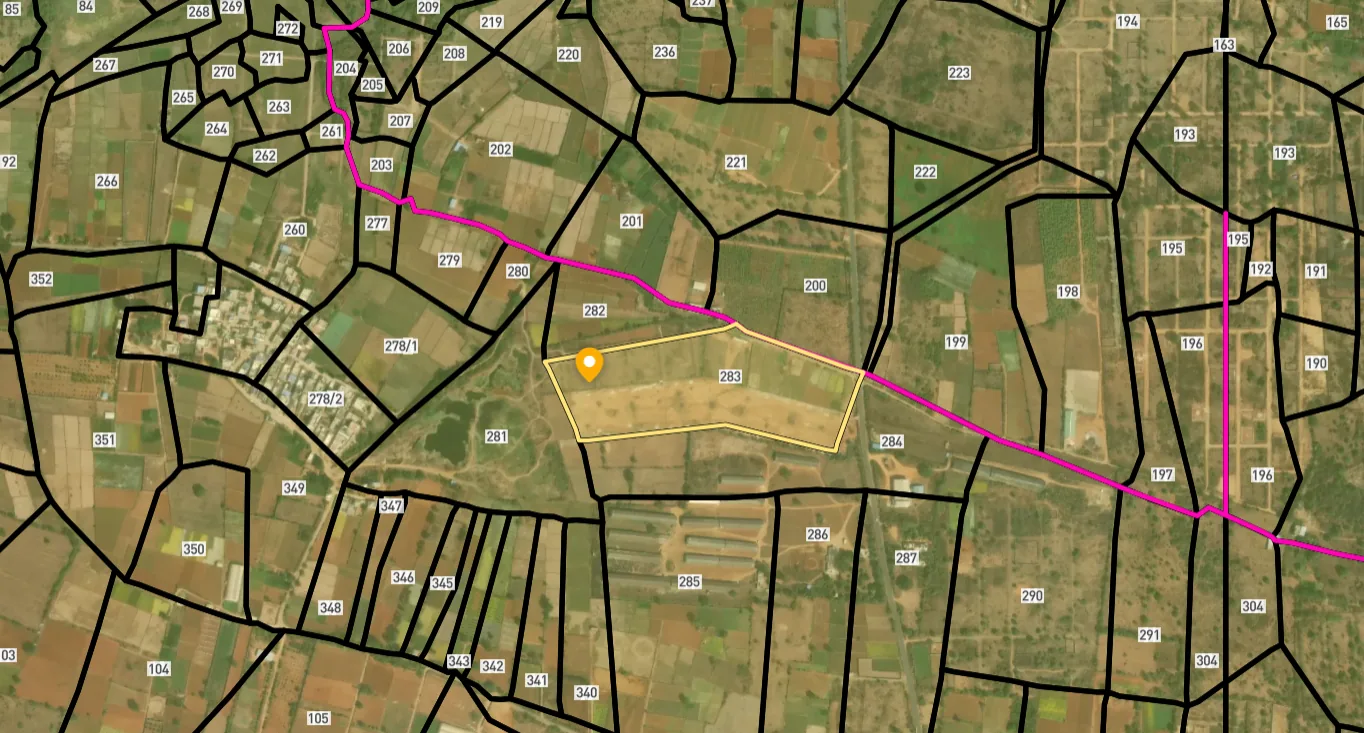
Survey Numbers View on Map Boundaries and numbers come from published state cadastral records. See all map layers.
Looking to sell your land in Karnataka?
Browse 1,300+ verified lands & plots in Karnataka
Frequently Asked Questions
What is E-Swathu Karnataka and why is it important for land buyers?
How do I download Form 9 and Form 11B from eswathu.karnataka.gov.in?
What is the difference between Form 9 and Form 11B in E-Swathu Karnataka?
Is Form 9 mandatory for property registration in Karnataka?
Can I get a home loan on a property that has only Form 11B in Karnataka?
How do I verify if my E-Swathu Form 9 or Form 11B is authentic?
What should I do if the mutation in Form 11B is not updated after a sale?
What is E-Swathu 2.0 and how does it affect property buyers in Karnataka?
Other Related Guides
Survey Sketch Mojini Karnataka: Complete Guide 2026
Survey Sketch Mojini Karnataka guide: understand hissa numbers, download 11E sketches on bhoomojini.karnataka.gov.in, verify plot boundaries, and avoid boundary fraud.
Read guide →Revenue Court Case Karnataka Land Buying: Complete Guide 2026
Check RCCMS Karnataka before buying land. A pending revenue court case on any survey number blocks mutation and puts your entire investment at risk. Here's how to verify.
Read guide →Gram Panchayat NOC Karnataka: Land Buying Guide 2026
Need a Gram Panchayat NOC in Karnataka? Learn what it proves, when it's mandatory for land conversion, how to apply online via e-Swathu, and how to spot a fake certificate.
Read guide →Land Use Certificate Karnataka BDA: Complete Guide 2026
Land Use Certificate Karnataka guide: check BDA zone codes under RMP 2015, verify before commercial purchase, apply for CLU online, and avoid demolition risk in Bangalore.
Read guide →Khata Extract Karnataka: Complete Guide 2026
Understand Khata Extract in Karnataka, what it proves, how to get it online via BBMP e-Aasthi, key fields, B Khata risks, and why every buyer must verify it before purchase.
Read guide →DC Conversion Karnataka: Section 95 Certificate Guide 2026
DC Conversion Karnataka guide: apply under Section 95, check status on Bhoomi, verify the conversion order, and understand what the 2025 amendment changed for buyers.
Read guide →